Most PMOs struggle with reporting because project data lives across disconnected systems. According to Wellingtone's The State of Project Management research, 72% of respondents spend half a day or more every month manually collating project reports; meanwhile, PMOs still spend much of their time on project status reporting and maintaining the project or portfolio list, even as organizations struggle with too many projects, frequent scope changes, poor resource management, and inconsistent delivery approaches.
Key Takeaways
- The PPM software with the best integrations reduces manual reporting.
- Integrated PPM software should help teams spend less time updating reports and more time improving prioritization, capacity decisions, lessons learned, and benefits tracking.
- Major project management challenges, such as running too many projects, frequent scope changes, or poor resource management, require connected portfolio data.
- The PPM software with the best integrations in 2026 includes Businessmap, Planview Portfolios, Smartsheet, Wrike, Jira Align, OnePlan. Businessmap is the best overall choice for organizations that want integrations to connect strategy, portfolio work, execution, collaboration, automation, and reporting in one system. Planview is strong for mature enterprise ecosystems, Smartsheet for flexible business-team integrations, Jira Align for Atlassian-heavy enterprises, OnePlan for Microsoft-centric PMOs.
Why Integrations Matter in Project Portfolio Management
PPM software depends on information that often lives outside the PPM platform. Jira may hold engineering work. Microsoft Teams may hold project conversations. Power BI may power executive reporting. ERP or finance systems may hold budget and cost data.
When those systems stay disconnected, the PMO becomes a manual reporting function.
Good integrations help teams keep working in the systems they already use while giving leadership a clearer view of portfolio progress, risks, dependencies, capacity, and strategic alignment.
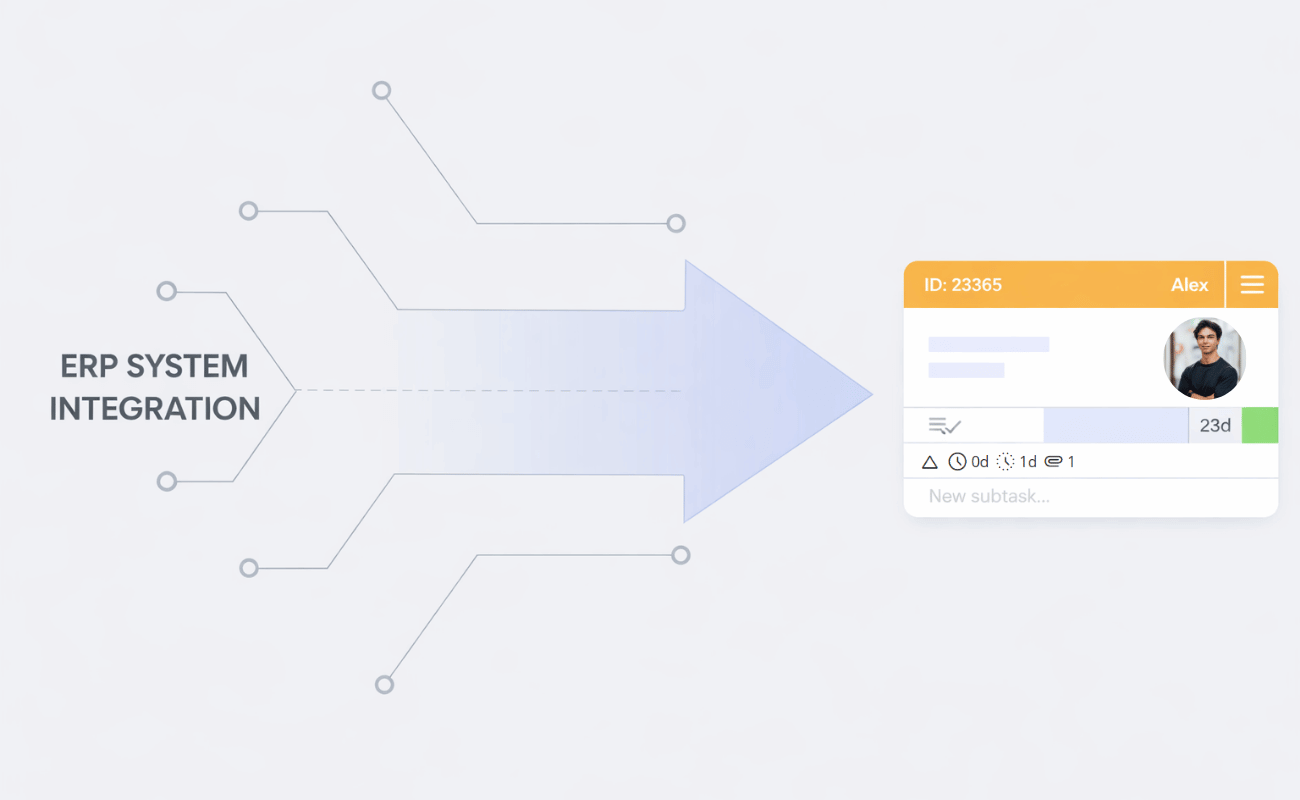
Integrating Businessmap with ERP systems, automation platforms, APIs, and identity providers to ensure a single PPM visibility layer
Learn more about Businessmap integrations↗
What Integrations Should PPM Software Have?
A strong PPM platform should connect with the systems where work, decisions, and reporting already happen.
Native Integrations vs. API-Based Integrations
- Native integrations are prebuilt connectors. They are usually faster to configure and easier for business teams to adopt. Examples include connectors for Jira, Microsoft Teams, Power BI, or Slack.
- API-based integrations are more flexible. They allow technical teams to create custom data flows, reporting models, and automation logic. Webhooks add another layer by sending real-time event notifications when something changes.
- No-code and iPaaS tools, such as Power Automate, Make, and Zapier, sit in the middle. They help teams connect systems without building every integration from scratch.
Watch how to build smarter workflows and AI agents with Businessmap's n8n integration.
Which PPM Software Has the Best Integrations in 2026?
1. Businessmap: Best Overall for Connected Strategy-to-Execution Visibility
Businessmap excels for organizations seeking PPM integrations that provide true portfolio visibility beyond simple task syncing.
The platform supports out-of-the-box and configurable integration paths across collaboration, reporting, development, and automation tools. Integrations range from development tools, BI/reporting, file storage, collaboration, automation, and other systems. Businessmap also provides a REST API for custom integrations, with API key-based access.
For collaboration, Businessmap supports Microsoft Teams updates through webhooks. Teams channels can receive messages when Businessmap events occur. Its Outlook integration lets users create Businessmap cards from emails and set details such as board, workflow, column, lane, owner, and priority. Businessmap also supports bi-directional Slack integration, connecting Slack conversations with Businessmap work items and comments.
Businessmap supports no-code and low-code integration scenarios with Power Automate and Zapier. It also supports multiple integration paths, including Power BI, Looker Studio, Tableau, GitHub, GitLab, Azure Repos, ServiceNow, Make, Power Automate, Zapier, REST API, and webhooks.
Businessmap works well when integrations are critical for aligning strategy, portfolios, workflows, and delivery signals. It helps PMOs reduce manual reporting, enables teams to track work visibility, and lets leaders see where execution is blocked.
Best for: PMOs, IT teams, Lean/Agile portfolios, hybrid organizations, strategy execution, workflow analytics, and custom integration needs.
2. Planview Portfolios: Best for Mature Enterprise Integration Landscapes
Planview Portfolios is a strong option for large enterprises with complex systems and PPM processes. Via its Planview Hub, Planview offers more than 60 no-code connectors across the software delivery lifecycle, visualizing integration maps and developing specific connectors for data automation.
Planview is best when the organization has a mature enterprise PPM model and needs integrations across delivery, resource, financial, and portfolio systems.
Best for: large global enterprises, EPMOs, complex toolchains, resource planning, and enterprise portfolio governance.
3. Smartsheet: Best for Flexible Business-Team Integrations
Smartsheet is a strong option for business teams that need broad integration coverage and familiar spreadsheet-style work management. It supports more than 175 integrations, including Slack, Jira, Salesforce, Tableau, Microsoft Teams, Power BI, Outlook, OneDrive, and Entra ID.
Its Jira Connector supports one-way or bi-directional sync between Smartsheet and Jira. Smartsheet also integrates with Microsoft Teams.
Smartsheet is flexible, but large organizations need strong governance to avoid disconnected sheets, duplicate dashboards, and inconsistent reporting models.
Best for: business operations, spreadsheet-heavy PMOs, flexible dashboards, Microsoft 365 users, and broad business-team adoption.
4. Wrike: Best for Operational Work Management Integrations
Wrike is strong for cross-functional teams that need project execution, approvals, dashboards, and operational integrations. Wrike's Microsoft Teams integration lets users view and work with tasks, folders, projects, and spaces directly from a Teams channel.
Wrike supports BI and custom reporting use cases through integrations, connectors, and API-based options, including Power BI/Tableau reporting paths depending on setup.
Wrike is a good fit when integrations need to support operational work.
Best for: marketing operations, creative teams, professional services, approvals, operational dashboards, and BI reporting.
5. Jira Align: Best for Atlassian-Heavy Enterprises
Jira Align is best for organizations already standardized on Atlassian. It is especially relevant when the organization wants portfolio and program visibility while engineering teams continue working in Jira.
Jira Align supports API and connector scenarios, including Jira connector monitoring via API and bidirectional status mapping between Jira Align and Jira.
Jira Align is powerful when engineering delivery lives in Jira. The caveat is that non-engineering teams may need additional work management practices to fully participate in portfolio reporting.
Best for: Atlassian-heavy enterprises, software organizations, Agile planning, SAFe environments, and engineering portfolio alignment.
6. OnePlan: Best for Microsoft-Centric PPM Ecosystems
OnePlan is a strong fit for organizations that live in Microsoft. It supports native Office 365, Dynamics 365, and Azure DevOps capabilities. OnePlan also connects with Microsoft Teams, Planner, Project, Azure DevOps, Jira, Smartsheet, monday.com, Asana, Wrike, Trello, and more.
The Microsoft Teams integration lets users access OnePlan data in Teams and collaborate on projects without switching applications.
OnePlan is a strong option when the PMO wants Microsoft tools to remain central while portfolio data is unified in one place.
Best for: Microsoft-first enterprises, Teams, Planner, Project, Azure DevOps, Power BI, and multi-tool portfolio visibility.
FAQ
Which PPM Software Has the Best Jira Integration?
The best option depends on your environment.
Jira Align is strongest for Atlassian-first enterprises. Businessmap is the better choice when Jira data needs to feed a broader strategy-to-execution visibility model. Planview Portfolios is well-suited for mature PPM environments that use Planview Hub and Jira. Smartsheet is useful when teams need Jira rollups and status visibility for business stakeholders.
Which Tools Work Best with Microsoft Teams and Outlook?
Businessmap supports Microsoft Teams updates through webhooks and Outlook-to-Businessmap card creation. OnePlan is the strongest Microsoft-centric PPM option, especially for Teams, Project, Planner, Azure DevOps, and Microsoft cloud environments. Smartsheet and Wrike also offer practical Teams integrations for business and operational work.
Which Vendors Support BI and Reporting Integrations?
Businessmap, Smartsheet, Wrike, Planview, OnePlan, and Jira Align all support reporting and integration use cases in different ways.
Businessmap is best when reporting needs to connect workflow analytics, portfolio health, and strategy execution. Wrike and Smartsheet have strong use cases for Power BI and Tableau. OnePlan is strong for Microsoft and Power BI-centric reporting. Planview is strongest for mature enterprise portfolio analytics.
Final Recommendation
The best PPM software is the platform that helps the PMO trust its portfolio data.
See how connected workflows, integrations, analytics, and portfolio visibility can help your PMO make better decisions with less manual reporting.

Nikolay Tsonev
Product Marketing | PMI Agile | SAFe Agilist certified
Nick is a seasoned product marketer and subject matter expert at Businessmap, specializing in OKRs, strategy execution, and Lean management. Passionate about continuous improvement, he has authored numerous resources on modern-day management. As a certified PMI practitioner and SAFe Agilist, Nick frequently shares his insights at Lean/Agile conferences and management forums.