Some product updates feel particularly meaningful because they solve a problem customers have raised for a long time. The built-in, AI-powered Businessmap Form Builder is one of them, and it is a milestone that both our team and our customers have been eagerly anticipating.
What makes the feature exciting is how quickly its value becomes tangible. You can now submit a request to our DevOps team through a simple form without searching for the right board, creating a card manually, or wondering whether I have included all the necessary details. You can even describe the request to the AI assistant and let it suggest the answers instead of completing every field one by one.
That small everyday example reflects a much bigger opportunity. Businessmap Form Builder shows how workflow automation can standardize the way work enters an organization, reduce delays caused by missing information, and turn every request into a structured, actionable task.
What Is Form-Based Workflow Automation?
Form-based workflow automation uses digital forms to collect standardized information and move it directly into a defined work process.
A basic online form stores responses. A workflow-connected form goes further. It turns the response into a work item that teams can classify, assign, prioritize, track, and report on.
The flow looks like this:
This is crucial because automation depends on consistent input. A workflow rule cannot reliably route a request when the request type, priority, owner, or business impact is missing.
How Businessmap Form Builder Connects Intake to Execution
The Businessmap Form Builder creates a controlled entry point into an existing workflow.
Every successful submission turns into a trackable task that teams can manage throughout the process. This removes several manual steps.
Imagine an engineering team needs design support for a new product settings page. The engineering team does not need to:
- understand the designers' process,
- create a task/project for them (manually or through an automation rule),
- or know which internal fields the design team uses.
They only need to clearly describe the request through the form.
The design team receives structured, actionable work in the correct workflow location from the start, reducing clarification loops and helping both teams agree on what is needed before design work begins.
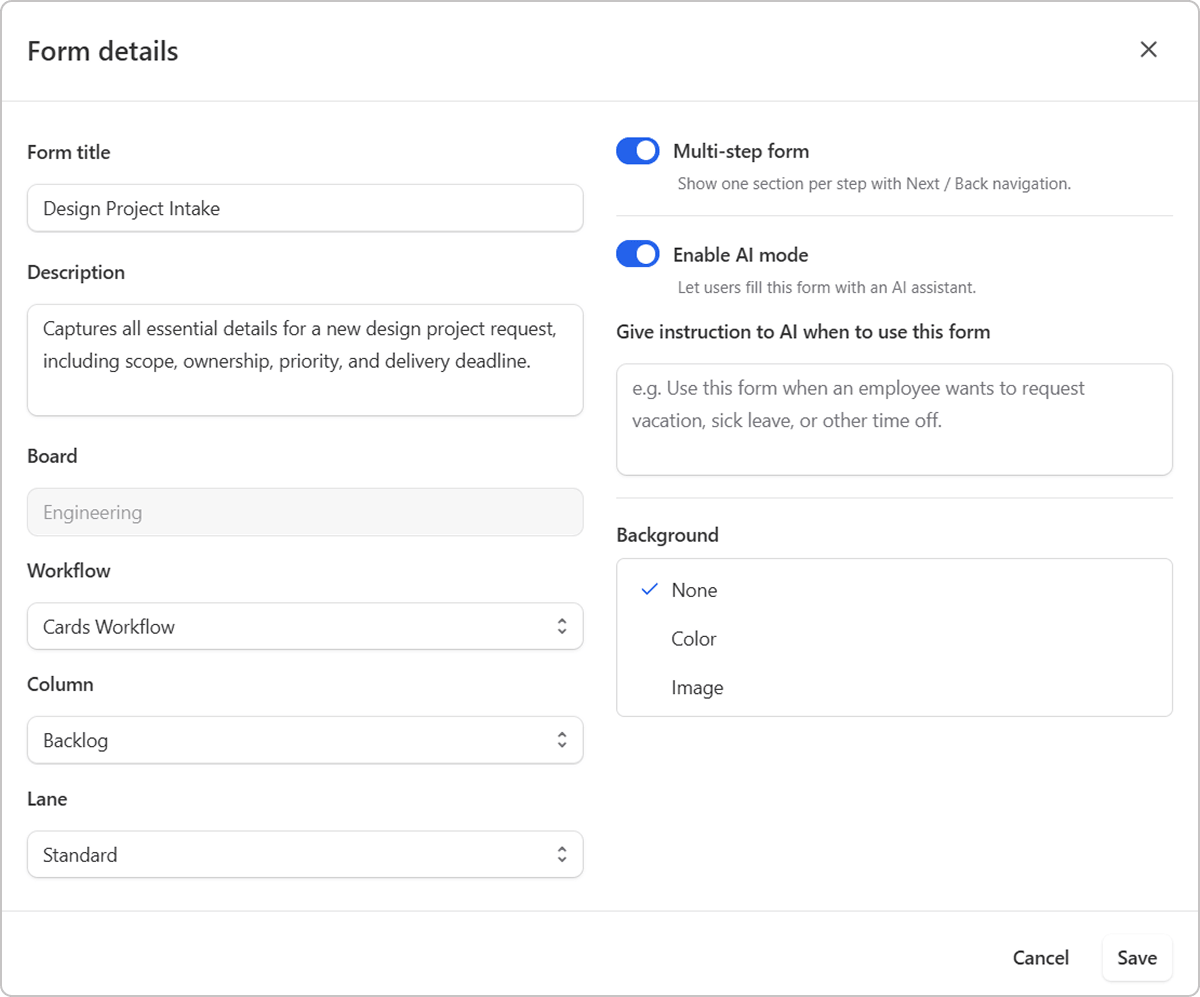 Businessmap Form Builder displaying a project intake form
Learn how to create, configure, activate, share, and manage forms: How to Use Form Builder in Businessmap
See Form Builder in Practice
The following walkthrough demonstrates how to create forms from scratch, templates, or AI and automatically turn submissions into correctly routed Businessmap cards.
How to Use Form Builder App for Work Intake
What Types of Workflows Can You Automate with Forms?
Forms work best for repeatable processes that begin with a request and require specific information before someone can act.
The form standardizes how work enters the process. The board and its workflow manage what happens next.
How Does AI Support Form-Based Workflow Automation?
AI can reduce the effort required to create, find, and complete forms.
A Businessmap Admin or Member can describe the required intake process, and the platform can suggest a form structure. For example, a prompt for a software access form may generate fields for the requested application, access level, business reason, urgency, and approval.
The creator can review the suggestion, adjust the fields, connect the form to the correct board, and activate it.
AI can also help you find the appropriate form. Instead of searching through a long list, a person can describe what they need and receive a relevant recommendation.
When AI-assisted form completion is enabled, you can describe your request in words and receive suggested field values. You remain responsible for reviewing the information and submitting the form. AI does not submit requests automatically or populate attachment fields.
This balance reduces friction without removing human control.
Use Cases for Workflow Automation with Forms
Example 1: PMO Project Intake Automation
A PMO often receives project proposals in several formats, with different levels of detail. One sponsor submits a detailed business case. Another sends a short email with no cost estimate, strategic objective, or resource requirements.
That inconsistency makes objective comparison difficult.
A project intake form can collect the same decision-critical information for every proposal:
- business problem or opportunity
- strategic objective
- expected value
- estimated cost
- required resources
- dependencies
- risks
- target dates
- executive sponsor
Once submitted, Businessmap creates a card in the PMO's intake workflow. The proposal can then move through qualification, evaluation, approval, prioritization, and scheduling.
The result is a repeatable intake process that gives portfolio leaders comparable data and a visible pipeline of proposed work.
Example 2: Change Requests Automation
Change requests frequently arrive through meetings, comments, or private messages. That creates ambiguity around what was requested, why it matters, and who approved it.
A structured change request form can capture:
- the affected project
- description of the proposed change
- business justification
- scope impact
- budget impact
- schedule impact
- urgency
- supporting documents
- required approval
The submission becomes a card in a change-control workflow, where the relevant people can assess, approve, reject, or return it for clarification.
The form does not replace management judgment. It simply automates the collection, validation, creation, and initial routing of the request so decision-makers can focus on the decision itself.
Example 3: Automation of Procurement Requests
Procurement work slows down when teams send purchase requests through emails, chats, or incomplete spreadsheets.
A standardized procurement form can collect:
- the requested item or service
- estimated cost
- supplier details
- business justification
- delivery date
- budget owner
- supporting documents
Conditional fields can request additional approval when the purchase exceeds a certain value. Required fields prevent employees from submitting requests without the information procurement needs to review them.
Inside Businessmap, each submission can create a procurement request card in the correct workflow. This gives the procurement team a clear and traceable queue instead of scattered messages and manual follow-ups.
What Else Can You Do with Workflow Automation Forms in Businessmap
Businessmap does not leave form responses in an isolated database. Each submission becomes a card, and those cards can be visualized alongside other work.
You can embed an active form on a dedicated dashboard via a Form widget, placing submission and monitoring in the same environment. Or, add your forms inside a shared whiteboard.
This creates a continuous line from the original request to the conversations and decisions that shape delivery.
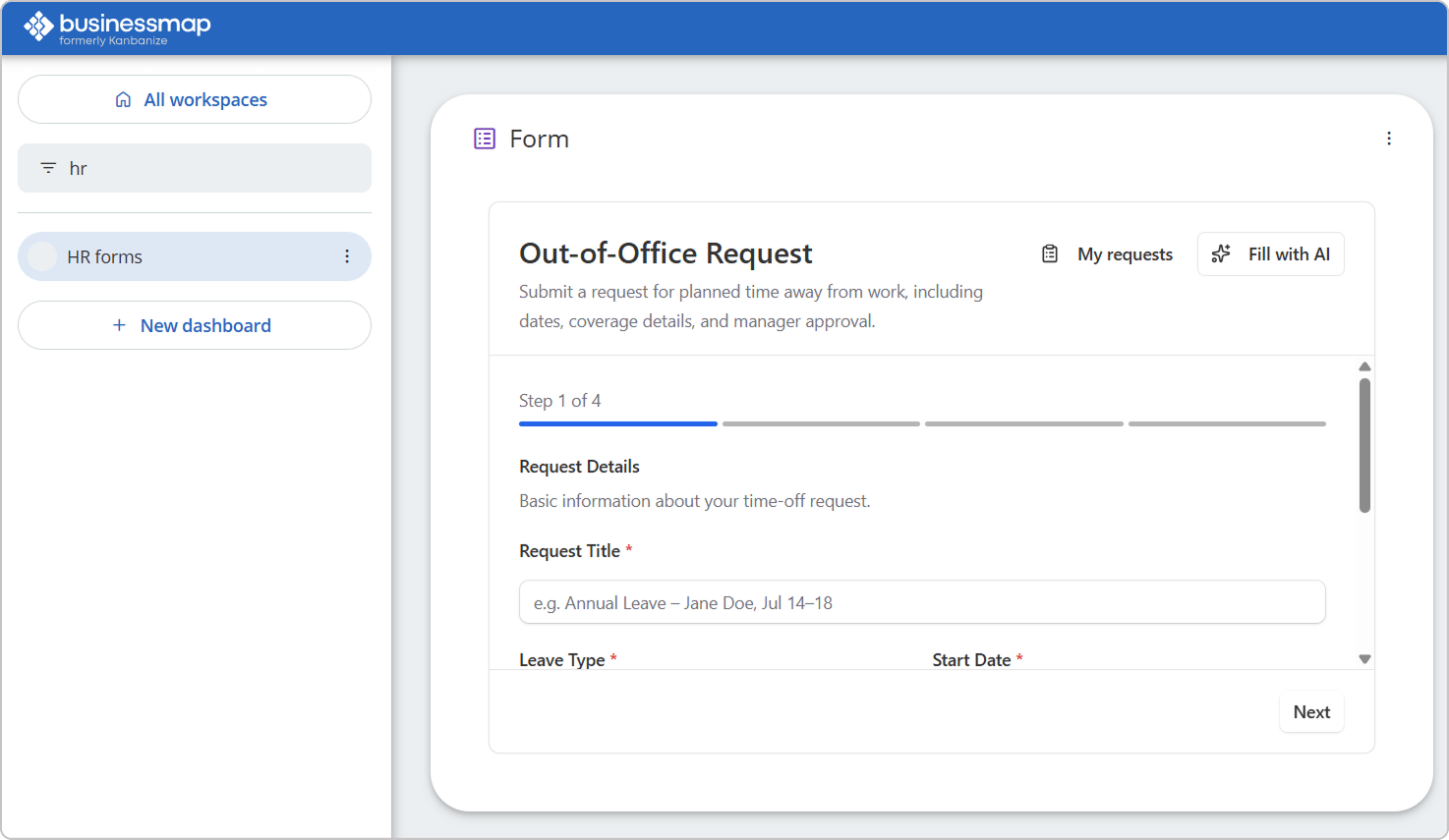
Visualize Form-Created Work
This video demonstrates how teams can visualize cards created through forms across Businessmap Dashboards and Whiteboards.
How to Visualize Form Submissions on Dashboards & Whiteboards
Frequently Asked Questions
Can I restrict who can create or publish forms?
Yes. Only users assigned the Admin or Member role can create, edit, and manage forms. Respondents can submit requests, while Viewers have read-only access.
Can users track requests after submitting a form?
Yes. Users can follow their submissions and see the current card status, submitted values, and comments.
Can one form route cards to several boards?
Each form is connected to one board, workflow, column, and lane. You can create separate forms when requests must enter different destinations.
Can I create different forms for countries or locations?
Yes. Teams can create separate forms with location-specific instructions, fields, defaults, and workflow destinations.
Do I need to purchase Form Builder separately?
No. Form Builder is available to Businessmap customers at no additional charge, and no add-on is required.
Turn Every Request into Actionable Work.
Start building your first form in Businessmap - at no additional cost and without any add-ons.

Iva Krasteva
Content Strategist | Agile Practitioner | Kanban Certified
Iva is a Kanban-certified Agile expert with hands-on experience in SEO, content creation, and Lean practices. She has published dozens of articles on Lean, Agile, and Kanban practical applications. Iva actively promotes collaborative, flexible work environments and regularly shares process optimization insights through writing.