Jira can work well for managing software issues on a team board. Problems usually arise when Kanban expands beyond one development team.
We have seen this pattern repeatedly during more than ten years of helping organizations implement Kanban in environments previously managed with Jira products. In most cases, the teams are not looking for another ticketing system. They want a clearer way to manage work across teams, expose delays, control overload, and connect daily execution with larger priorities.
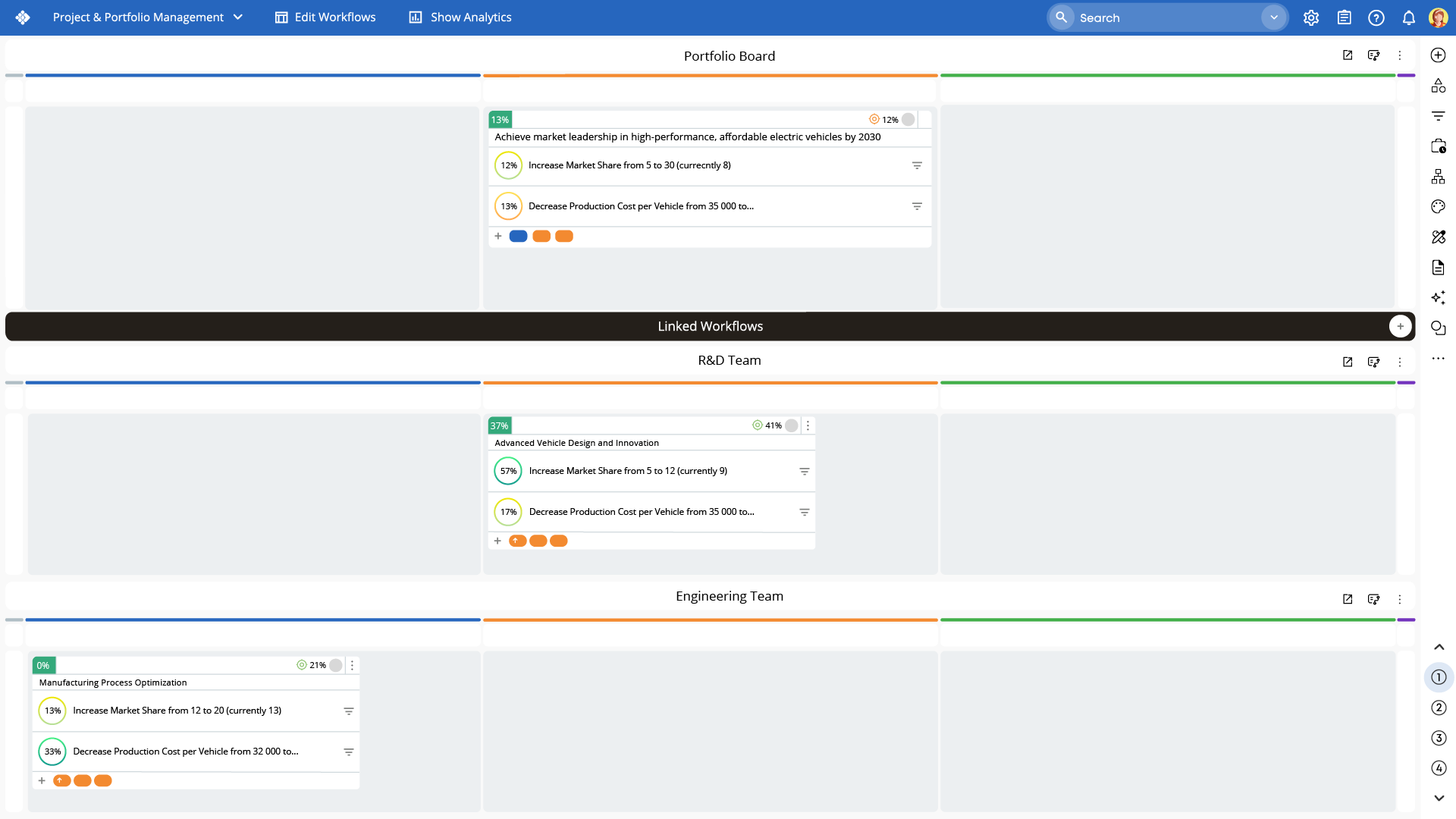 Businessmap Portfolio Kanban board connecting work across multiple teams and organizational levels
What Should You Look for in a Jira Alternative for Kanban?
The best tool is the one that makes the answers to the most important questions about work visible at a glance. As AI becomes central to organizational transformation, AI capabilities have emerged as a key feature for workflow management buyers, and it is now among the top priorities for anyone evaluating such systems.
For organizations using Kanban as a management approach, the evaluation should focus on workflow clarity, performance data analysis, cross-team coordination, automation and AI capabilities, portfolio visibility, and ease of adoption.
Is Businessmap the Jira Alternative with the Best Kanban Board View?
A useful Kanban board should reflect how work really moves.
Businessmap boards support all the features that teams need to model different paths without losing sight of the total demand placed on the system.
The difference becomes more important when work crosses team boundaries. Related work can be connected across boards through parent-child relationships and dependencies. Each team keeps a workflow suited to its work, while managers can actually see the state of the system.
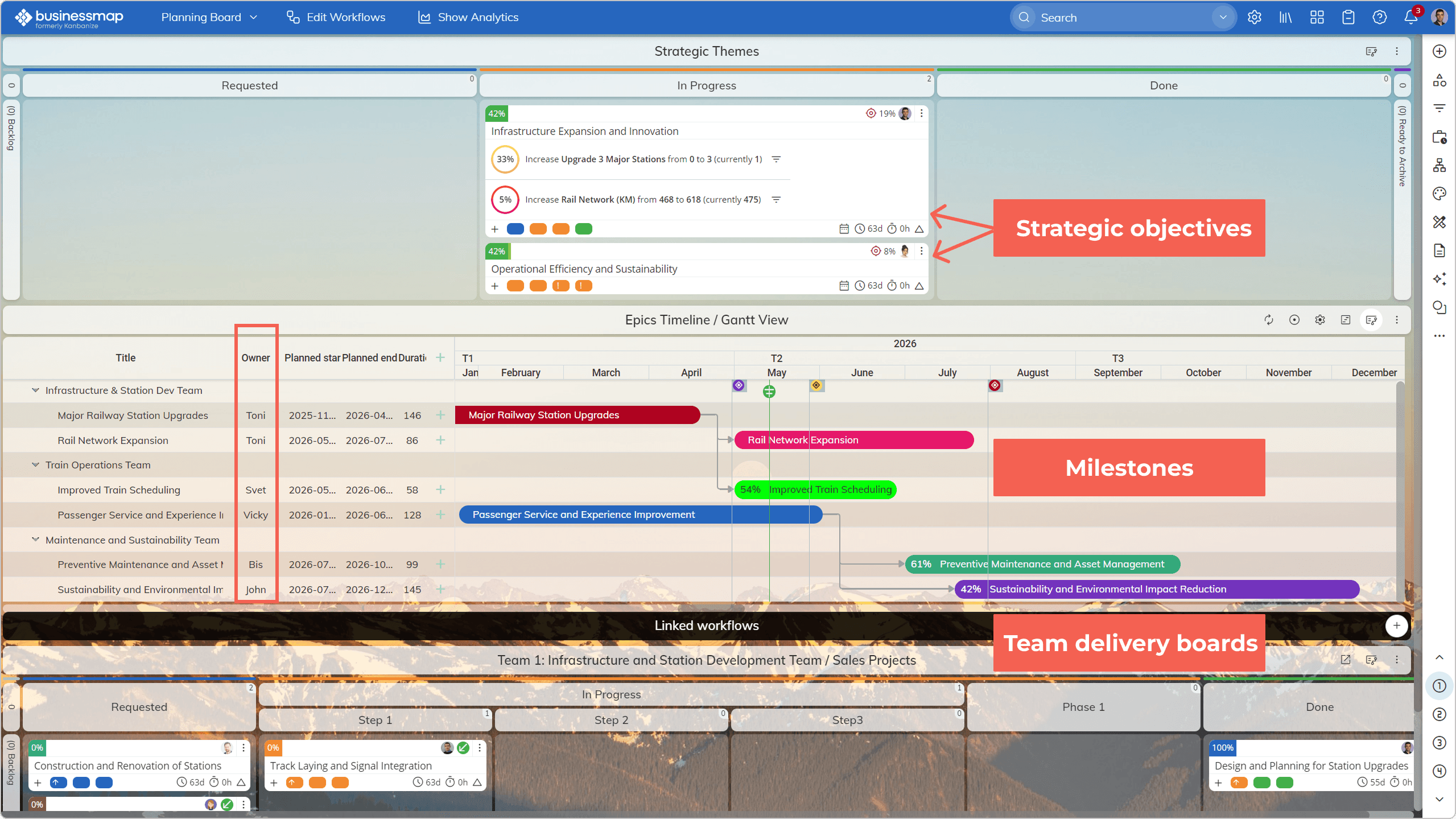 Strategic objectives, portfolio priorities on timelines, dependencies, and execution boards connected in one view in Businessmap
How Businessmap Supports Kanban Across Teams
The hardest part of scaling Kanban is balancing local flexibility with organizational visibility.
Forcing engineering, marketing, procurement, and operations into one standardized workflow usually creates a process that fits no one. Allowing every team to operate independently creates a different problem: each board becomes a silo.
A go-to-market initiative, for example, may involve campaign planning, sales enablement content creation, partner coordination, and launch execution. Each team can manage its own contribution on a suitable board, while the work remains connected to the same initiative. This allows leaders to see dependencies, delays, and progress across the full process, even when the work spans multiple departments within one organization.
This structure also works for non-technical teams. They do not need to frame every activity as a software issue or adopt development terminology.
Usability is key here. That does not eliminate the need for thoughtful workflow design. It does reduce the friction of introducing Kanban beyond technical delivery teams.
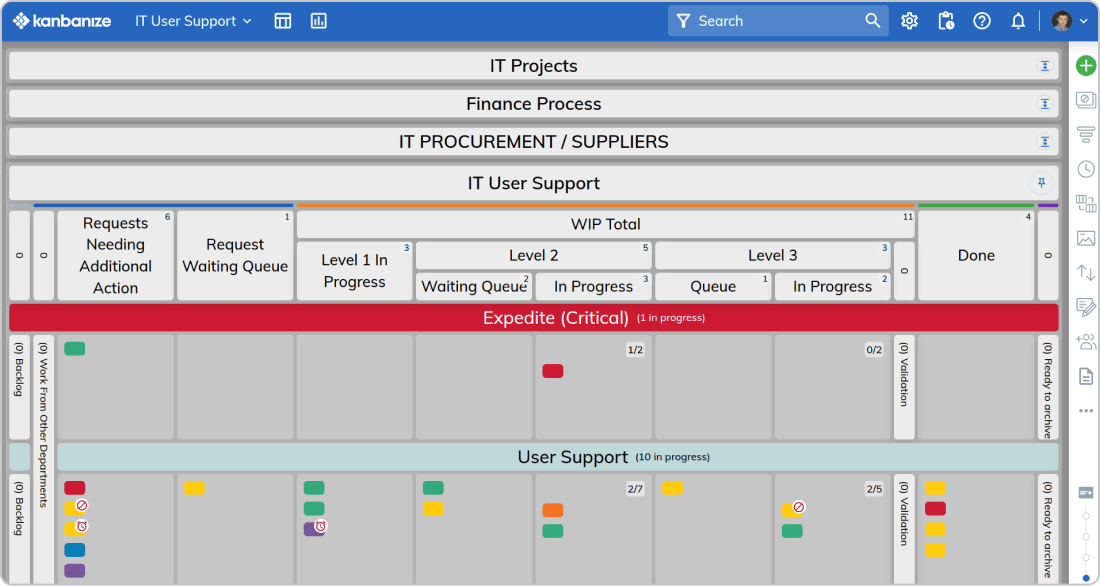 Connected IT projects, finance, procurement, and support workflows on a single board in Businessmap
Businessmap Reporting vs. Jira Reporting for Kanban
The problem is rarely a complete absence of data, but the available reports do not clearly show how work behaves inside the system.
Businessmap provides all the must-have flow-focused analytics such as cumulative flow diagrams, cycle-time reports, throughput analysis, blocker analysis, flow efficiency, and forecasting based on historical data.
These metrics turn the board into a source of operational evidence, and with the help of AI capabilities, data can be analyzed using natural human language.
"Businessmap is more intuitive, better user interface, better reporting tools and has deeper functionality in so many ways than any of the kanban tools I have worked with so far." - Switched from Trello, Jira Service Managament and SwiftKanban, source: Capterra user reviews.
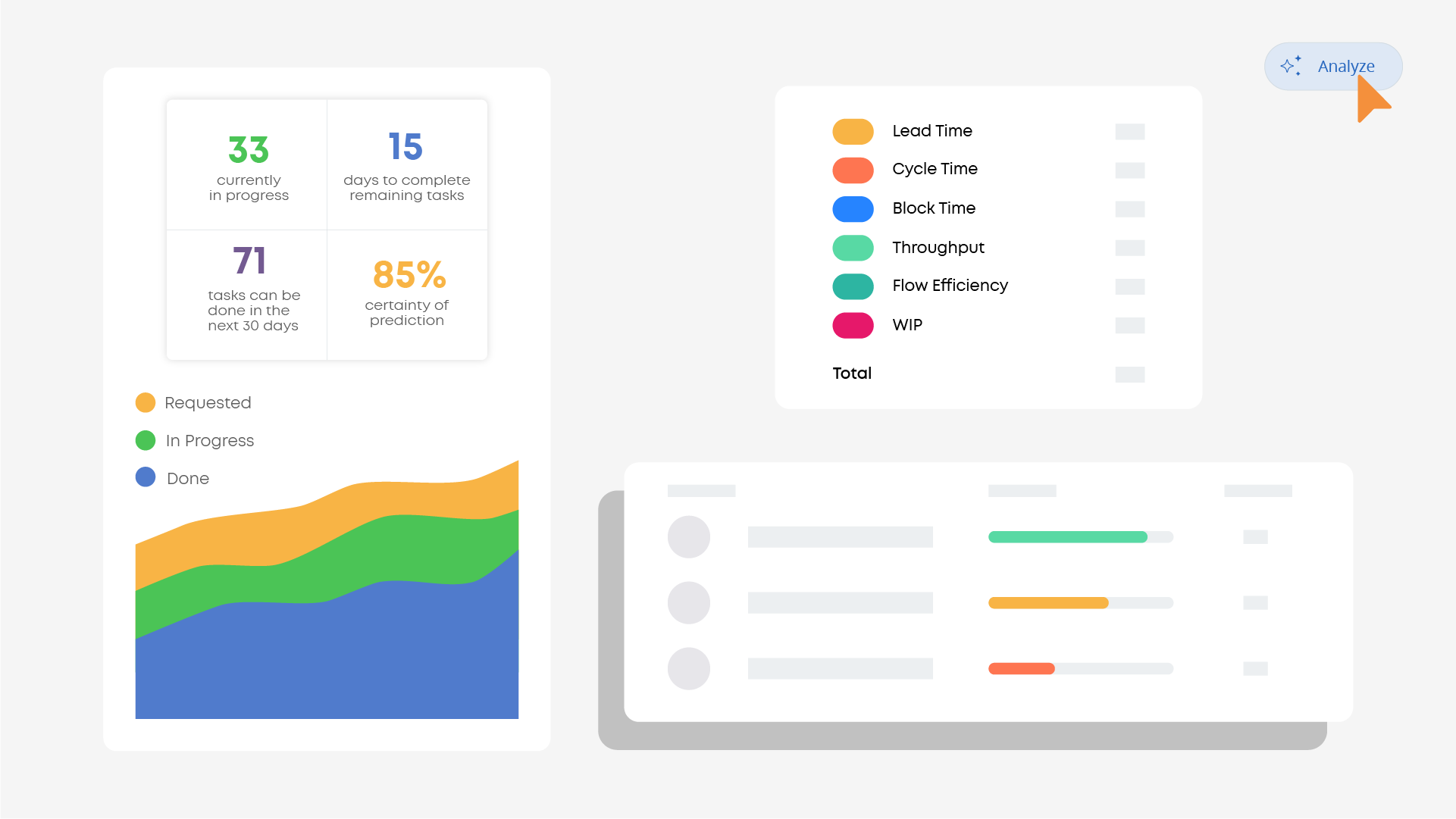 Using AI to analyze cumulative flow, cycle-time, throughput, blocker, flow-efficiency data, in Businessmap
How Businessmap Reduces Manual Workflow Coordination
In our experience, a large share of workflow delay occurs before the work reaches the board. The effort is already being spent before the work starts.
Businessmap's Form Builder creates a structured entry point. A submitted form can become a card in a predefined board, workflow, column, and lane.
The requester does not need to understand the board. The team receives the information it needs in a consistent format.
From there, Business Rules can automate repetitive actions. Rules can update related cards, create recurring work, send notifications, escalate delays, synchronize work items, or call external services.
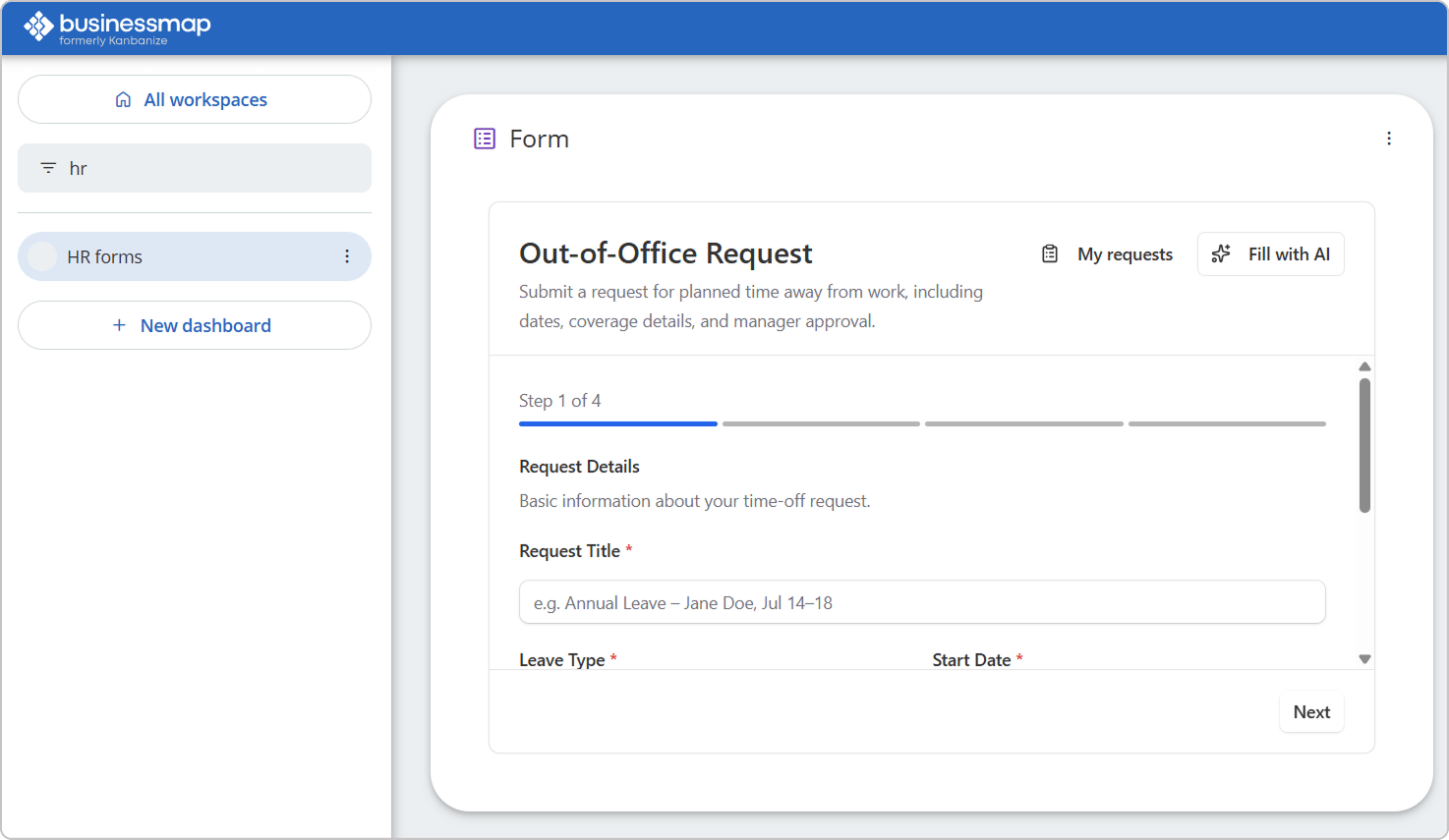 Visualizing an out-of-office request form created with Businessmap Form Builder, added to HR dashboard
Learn how to use the Businessmap Form Builder app
Why PMOs and Portfolio Teams Choose Businessmap
Team boards answer local questions. PMOs and portfolio leaders need a wider view.
They need to know which initiatives are active, where work is stalled, how teams are contributing, whether dependencies threaten delivery, and whether progress is producing the expected outcomes.
In many Jira environments, that view depends on additional products, carefully maintained configurations, or manually prepared reports. In fact, according to Wellington's report on the state of PM, in 2026, project status reporting is still the top activity undertaken by PMOs.
Businessmap connects portfolio initiatives with the work taking place on team boards. Progress can roll up from execution rather than being recreated for every management update.
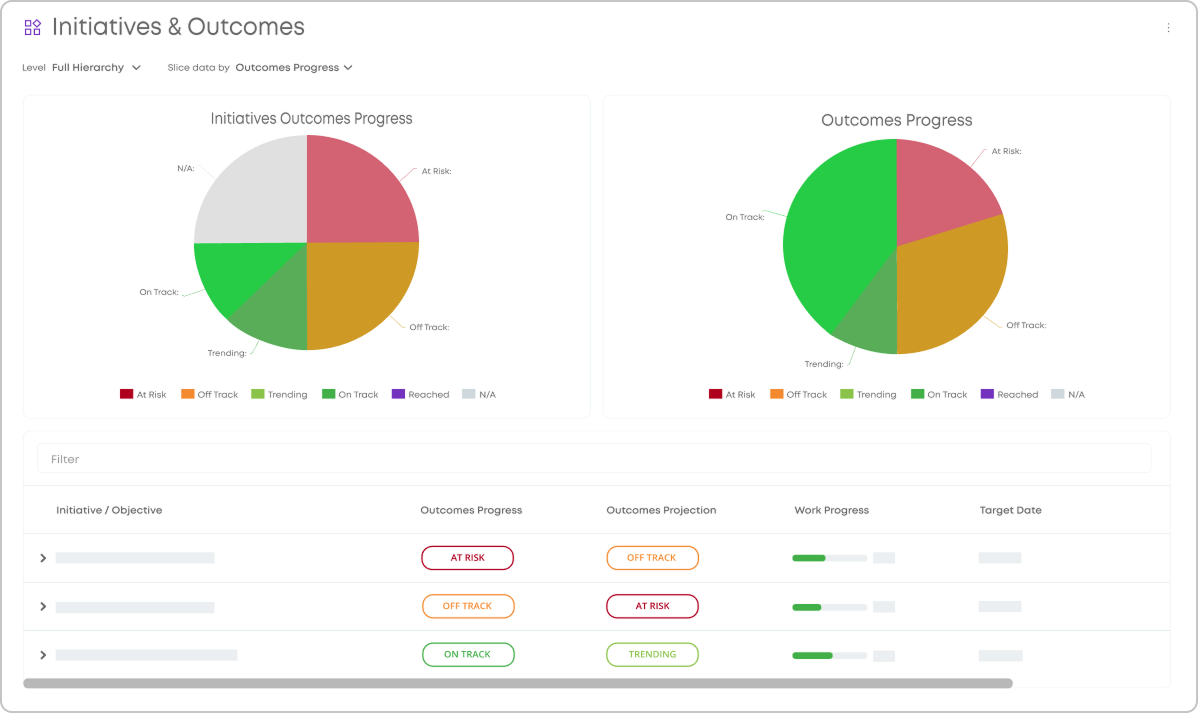 An executive dashboard with OKRs/KPIs and other important metrics in Businessmap
Manage Portfolio Overload
Organizations can overload a portfolio in the same way teams overload a workflow.
We've seen this very often - too many initiatives start at once, attention inevitably gets divided, dependencies arise, and completion slows. Portfolio Kanban makes that overload visible and allows leaders to limit how much strategic work is active.
Connect Strategy with Daily Work
To fix the gap between the work leaders intend to fund and the work teams actually perform, Businessmap connects objectives, outcomes, initiatives, projects, and team-level work in one ecosystem. Leaders can trace a strategic priority down to current execution and see whether progress on the work corresponds with progress toward the intended outcome.
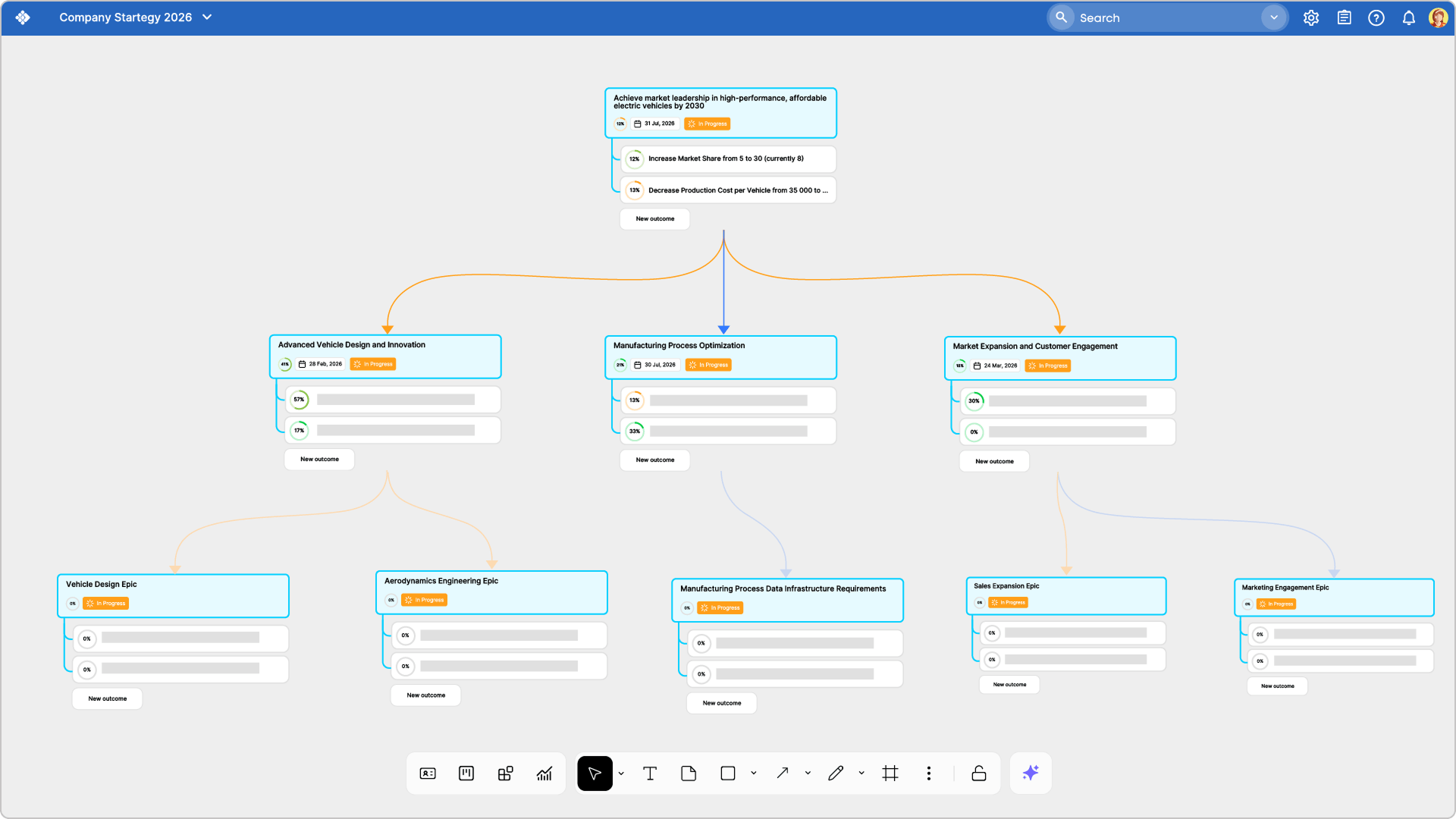 Visualizing cross-team dependencies contributing to the same objective using Businessmap AI Canvas
That connection is one of the main reasons portfolio teams consider Businessmap as an alternative to a Jira-centered setup.
How Businessmap Uses AI in Work Management
AI is useful when it reduces the effort needed to structure, understand, and act on work.
Businessmap can help teams generate work items from notes, documents, outcomes, and existing work. It can summarize selected work items, assist with form creation, and support analysis across multiple boards.
Businessmap also supports the Model Context Protocol (MCP). This allows compatible AI clients to work with permitted Businessmap data while respecting the access rights of the connected user.
A manager could, for example, ask for a summary of blocked initiatives or explore current workflow data through an AI client. The value comes from grounding the answer in live operational information rather than copying selected data into a general-purpose prompt.
Check the Businessmap Remote MCP Guide
How to Move from Jira to Businessmap
Years of statuses, custom fields, exceptions, and permissions often contain useful process knowledge. They may also contain workflow debt that should not be carried into a new platform.
Based on our experience with Jira-managed environments, the safer approach is to begin with one representative workflow:
There is no right or wrong approach. Some organizations keep Jira for selected software teams while using Businessmap to coordinate cross-functional programs and portfolio work. Others migrate more broadly because the same visibility and usability problems affect most departments.
Businessmap supports both Jira migration and integration, allowing the transition to match the organization's risk tolerance and operating model.
Is Businessmap the Right Jira Alternative for Your Kanban System?
Businessmap is a strong fit when the organization needs to manage flow beyond a single software team.
It is particularly relevant when:
- Work is fragmented across teams and Jira projects.
- Dependencies are difficult to follow.
- Reporting describes activity but does not expose flow problems.
- Non-technical teams struggle with the existing setup.
- PMOs depend on manually assembled status updates.
- Strategic initiatives are disconnected from delivery work.
- The organization wants deeper Kanban functionality without relying on a growing collection of add-ons.
Jira may still be the right choice when software issue tracking is the main requirement and the current Atlassian setup already provides the visibility and coordination the organization needs.
Choose one process that crosses teams, creates reporting difficulties, or regularly suffers delays. Then evaluate whether Businessmap makes the work, dependencies, bottlenecks, and portfolio impact easier to understand.
A feature list can tell you what a platform contains. A real workflow will tell you whether it solves the problems that led you to search for a Jira alternative.
Test Businessmap with a Real Cross-Team Workflow
Evaluate how Businessmap makes work, dependencies, bottlenecks, reporting, and portfolio impact visible across your organization.
Explore Businessmap

Iva Krasteva
Content Strategist | Agile Practitioner | Kanban Certified
Iva is a Kanban-certified Agile expert with hands-on experience in SEO, content creation, and Lean practices. She has published dozens of articles on Lean, Agile, and Kanban practical applications. Iva actively promotes collaborative, flexible work environments and regularly shares process optimization insights through writing.