
Key Takeaways
Trello is a popular Kanban tool for visualizing tasks, but many teams eventually need more advanced workflow management capabilities. The best Trello alternatives offer features such as automation, workflow analytics, dependencies, and portfolio visibility. Tools like Businessmap, ClickUp, Asana, and Monday.com provide deeper functionality for teams managing complex projects, scaling across departments, or improving process efficiency.
Among them, Businessmap stands out as the best Trello alternative for organizations that want to evolve from simple task tracking to full workflow management using advanced Kanban practices.
Why Are Teams Starting to Look for Trello Alternatives
Trello became widely adopted because it made project management simple. A board with lists and cards is easy to understand, even for teams with no formal process.
For many organizations, Trello is the first step toward visual work management.
However, as teams grow and workflows become more complex, limitations begin to emerge. Managers begin asking questions that Trello struggles to answer:
- Where are the bottlenecks in our workflow?
- How long does work actually take to complete?
- How do we automate repetitive processes?
- How can we coordinate multiple teams working on the same initiative?
At that stage, organizations begin searching for Trello alternatives that provide deeper visibility, automation, and workflow control.
Quick Feature Comparison of Trello Alternatives
Why Teams Outgrow Trello
Trello works best for small teams managing straightforward workflows. But once projects involve multiple stakeholders, dependencies, or strategic initiatives, their simplicity can become a limitation.
Limited workflow analytics
Trello shows what work is currently on a board, but it provides limited insight into how work moves through a process over time.
Teams often want to measure cycle time, throughput, or process bottlenecks. Without these insights, it becomes difficult to improve delivery performance.
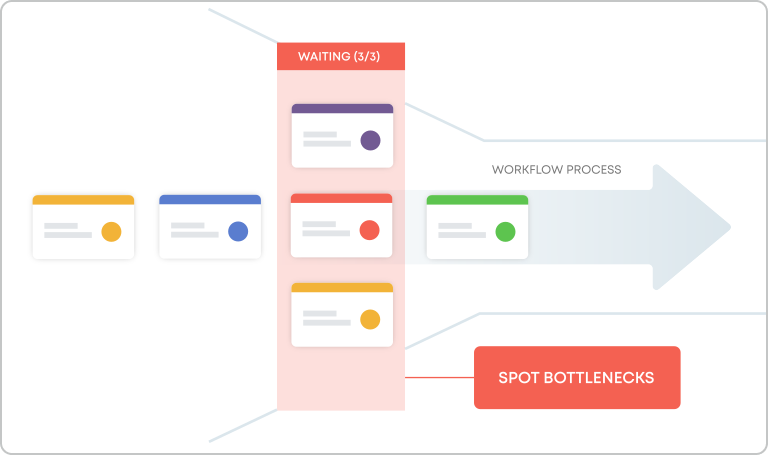 Identifying process bottlenecks to improve delivery flow
Basic automation capabilities
Trello offers automation through Butler, but complex workflows quickly require more advanced automation rules. Organizations often need automation to trigger status changes, automatically assign work, enforce policies, or notify stakeholders.
Lack of portfolio visibility
When organizations manage multiple teams, work often becomes scattered across many boards. Leaders need the ability to track initiatives across teams and understand how operational work contributes to strategic goals.
Limited dependency management
Many projects require clear relationships between tasks. Without dependency visualization, coordination between teams becomes difficult.
Best Trello Alternatives in 2026
Five project management platforms provide stronger workflow capabilities while preserving the visual simplicity that made Trello popular.
1. Businessmap - Best Trello alternative for advanced Kanban and enterprise workflow management
Businessmap is designed for teams that want to move beyond basic task tracking and adopt a more mature workflow management approach.
While Trello focuses primarily on visualization, Businessmap supports advanced practices, including:
- Workflow automation
- Instant AI-enabled data insights
- Dependency management
- Portfolio management visibility
- Value stream management
- Interactive whiteboards
- Document management
These capabilities allow organizations not only to track work but also to optimize how work moves through their systems.
For example, teams can monitor work-related metrics such as cycle time and throughput to identify bottlenecks and continuously improve delivery speed.
Businessmap also enables leaders to connect team-level boards with portfolio-level initiatives, providing a clear view of how operational work contributes to strategic outcomes.
Comprehensive traceability from corporate portfolio to task management in a continuously updated platform. — Gartner Peer Insights review
2. ClickUp - Best for task management & customization
ClickUp has grown into a popular all-in-one productivity platform.
It provides features such as:
- Gantt charts
- time tracking
- dashboards
- multiple project views
ClickUp works well for teams that want a highly customizable platform combining task management, documentation, and collaboration.
3. Asana - Best for creative work management
Asana is known for its structured approach to project management.
It provides strong capabilities for:
- dependency management
- timeline planning
- workflow automation
Many organizations adopt Asana when they need clearer planning structures and cross-departmental coordination.
However, larger enterprises may find portfolio capabilities somewhat limited compared to enterprise work management platforms.
4. Monday.com - Best for daily work management with AI
Monday.com positions itself as a flexible work operating system.
Its strengths include:
- customizable workflows
- dashboards and reporting
- automation recipes
It is commonly used across departments such as marketing, operations, and product development.
5. Notion - Best for knowledge management + lightweight task tracking
Notion combines documentation and project tracking in a single workspace.
It is especially popular among smaller teams that want a flexible system for:
- knowledge management
- lightweight task tracking
- collaboration
However, teams with more complex workflows often need stronger project management capabilities.
Trello vs. Businessmap: Key Differences Explained
Trello and Businessmap both use the Kanban method to visualize work, but they are designed for very different levels of workflow maturity.
Trello focuses primarily on simple task visualization, while Businessmap provides capabilities for managing and optimizing complex workflows across teams and projects.
| CAPABILITY | TRELLO | Businessmap |
|---|---|---|
| Workflow visualization | Basic boards | Customizable boards with multiple workflows, lanes, and automations |
| Work dependencies | Limited | Dependency maps, parent-child, predecessor-successor relationships |
| Workflow Automation | Built-in work automation rules via Butler to set rules, create buttons, move cards | "If-This-Then-That" advanced workflow no-code automation |
| AI automation | Built-in AI capabilities to create card descriptions and comments | Generating comments, summaries, subtasks, predictive insights & more using predefined prompts |
| Analytics | Basic reporting on board workload; advanced analytics available via power-ups (free or paid) | Built-in data performance analytics, forecasting, and AI delivery insights |
| Portfolio visibility | No | Portfolio boards |
When Trello Is Enough
Trello works well for small teams, personal task management, and simple project coordination.
When Businessmap Becomes the Better Choice
Businessmap becomes valuable when teams need deeper workflow visibility, automation, and cross-team coordination.
Which Tools Provide Better Automation and Workload Views Than Trello
Automation and workload visibility are two areas where modern project management platforms significantly outperform Trello.
For example, tools like Businessmap allow teams to create automation rules that trigger actions when specific events occur.
Examples include:
- automatically moving tasks when work is completed
- assigning owners based on workflow stage
- notifying teams when dependencies are resolved
In addition, advanced tools provide workload views that help managers understand team capacity and balance work across contributors.
This level of visibility is critical when managing complex initiatives involving multiple teams.
Which Tools Scale for Enterprise Use While Keeping Trello's Visual Simplicity?
One of Trello's greatest strengths is visual simplicity. However, scaling that simplicity across an organization requires portfolio dashboards, cross-team coordination, workflow analytics, and automation.
Platforms such as Businessmap are designed to maintain the visual clarity of Kanban boards while supporting enterprise-level workflow management.
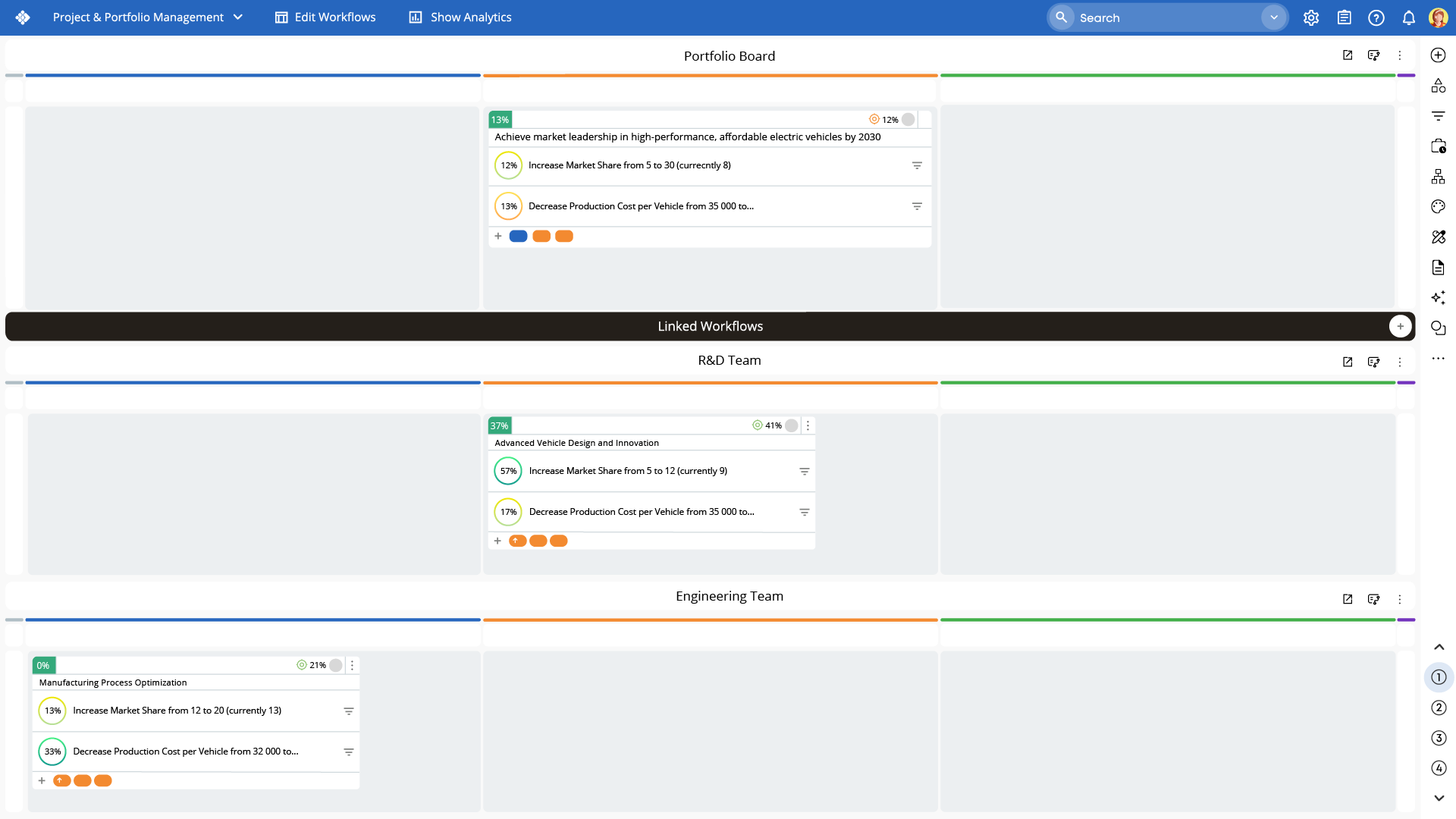 A portfolio management board allowing to link portfolio goals to R&D and Engineering workflows
FAQs
What is the best Trello alternative for advanced workflow management?
Businessmap is one of the best Trello alternatives for advanced workflow management, offering customizable workflows, project analytics, workflow automations, native AI-enabled tools, dependency tracking, and portfolio boards.
Are there free Trello alternatives available?
Yes. Tools like ClickUp and Notion offer free plans. However, advanced automation and analytics capabilities are typically available in paid tiers.
Can I migrate my Trello boards to Businessmap?
Yes. Businessmap includes a Trello import feature that allows teams to connect their Trello account and import boards directly. Learn more↗
Which Trello alternatives scale best for enterprise organizations?
Platforms such as Businessmap, Monday.com, and ClickUp are designed to scale across multiple teams and departments while providing portfolio visibility and workflow automation.
Explore how Businessmap can transform your work management system.

Iva Krasteva
Content Strategist | Agile Practitioner | Kanban Certified
Iva is a Kanban-certified Agile expert with hands-on experience in SEO, content creation, and Lean practices. She has published dozens of articles on Lean, Agile, and Kanban practical applications. Iva actively promotes collaborative, flexible work environments and regularly shares process optimization insights through writing.